Managing Multiple API Integrations: 6 Challenges & How to Solve Them
Learn how to overcome the six core challenges of managing multiple API integrations—from version chaos and credential sprawl to monitoring gaps. Practical solutions for teams scaling from 5 to 50+ integrations.
Scaling Your Integration Strategy Without the Chaos
The first API integration is usually straightforward. You read the docs, authenticate, handle a few edge cases, and ship. The tenth integration? That's when things start breaking in ways you didn't anticipate.
Managing multiple API integrations is fundamentally different from managing one. Each new integration adds authentication credentials to secure, rate limits to respect, version changes to track, and failure modes to handle. Without a deliberate strategy, you end up with a fragile system where one upstream change can cascade into hours of debugging.
According to a 2023 Postman survey, organizations now use an average of 20+ APIs in their applications, with enterprise teams managing hundreds. Yet most teams approach API management reactively - fixing problems as they surface rather than building systems that prevent them.
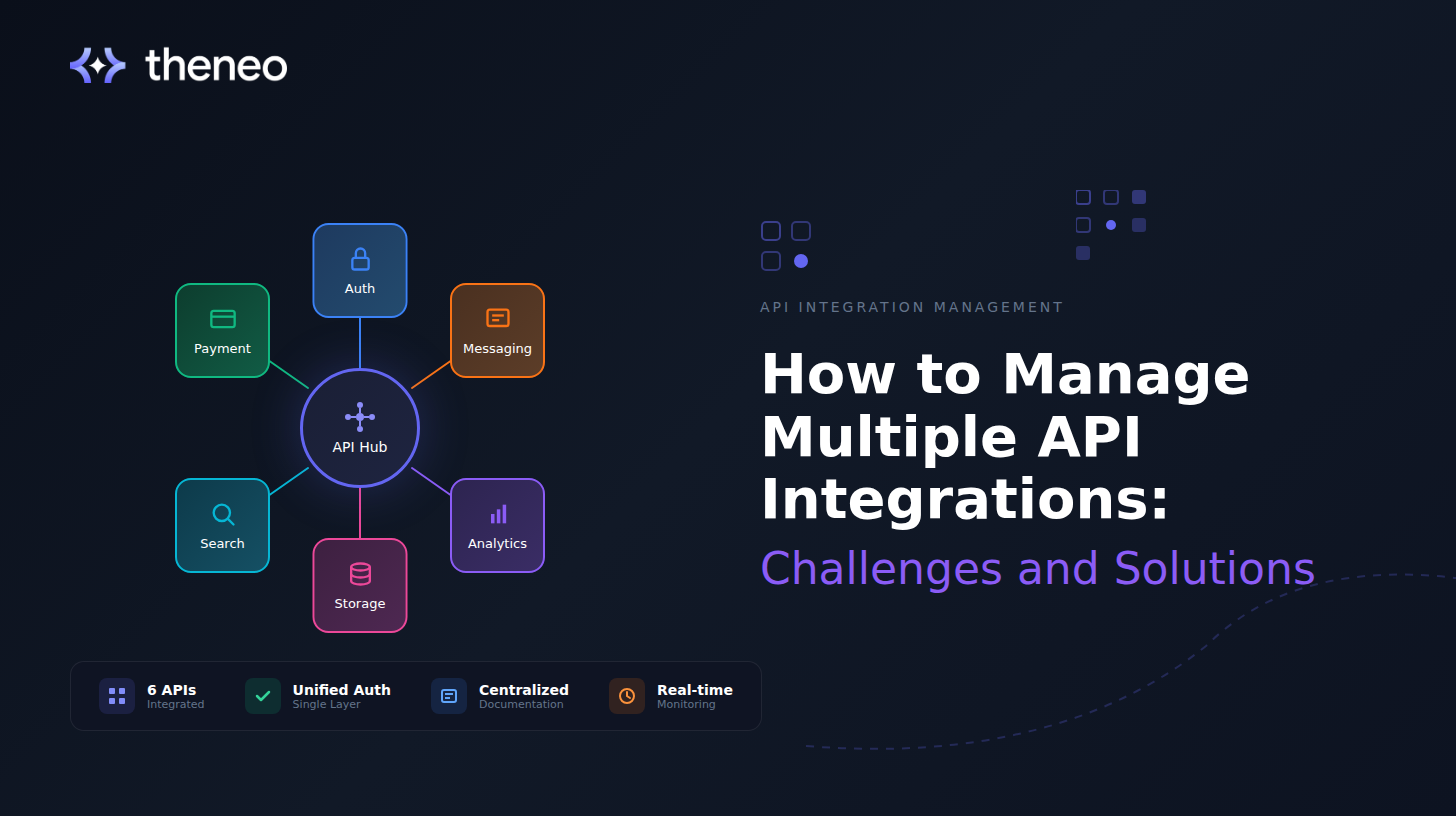
TL;DR: Managing multiple API integrations creates six core challenges: version management, credential sprawl, inconsistent error handling, rate limit complexity, monitoring gaps, and documentation silos. The solution is building systems - centralized auth, standardized errors, unified monitoring, rather than handling each integration ad hoc.
This guide breaks down the specific challenges of maintaining multiple API integrations and provides actionable solutions for each.
What Are the Challenges of Maintaining Multiple API Integrations and How Can They Be Addressed?
Before diving into solutions, let's name the problems clearly. Most multi-API challenges fall into six categories:
1. Version Management Across Multiple APIs
Every API evolves. Endpoints get deprecated, response formats change, authentication methods update. When you're integrating with one API, tracking these changes is manageable. When you're integrating with twenty, it becomes a full-time job.
The real danger isn't the breaking changes you know about, it's the ones you miss. A deprecated endpoint that still works today might fail silently next month. A new required field might cause your integration to reject valid responses.
Common symptoms:
- Integrations break unexpectedly after "routine" updates
- Technical debt accumulates as teams defer version upgrades
- Different parts of your system use different versions of the same API
2. Authentication and Credential Sprawl
Each API has its own authentication method: OAuth 2.0, API keys, JWTs, basic auth, custom tokens. Managing credentials for multiple APIs means:
- Storing secrets securely across environments
- Rotating keys on different schedules
- Handling token refresh logic that varies by provider
- Managing different permission scopes and access levels
When credentials are scattered across config files, environment variables, and secrets managers without a unified approach, security vulnerabilities multiply.
3. Inconsistent Error Handling
Every API returns errors differently. One returns HTTP 400 with a detailed JSON body. Another returns HTTP 200 with an error flag buried in the response. A third times out silently.
Without standardized error handling, your application ends up with:
- Duplicated error-handling code across integrations
- Inconsistent user-facing error messages
- Gaps in error logging that make debugging difficult
- Silent failures that corrupt data without alerting anyone
4. Rate Limiting and Throttling Complexity
APIs impose rate limits, but they measure them differently, per minute, per hour, per endpoint, per user, per API key. Some return retry-after headers; others don't. Some throttle gracefully; others cut you off entirely.
When multiple integrations share infrastructure, you need to:
- Track rate limit consumption across all APIs
- Implement backoff strategies that respect each API's rules
- Prioritize critical requests when limits are tight
- Avoid cascading failures when one API throttles
5. Monitoring and Observability Gaps
When something breaks in a multi-API system, finding the root cause is challenging. Was it your code? The API provider? A network issue? A rate limit? An authentication expiration?
Most teams lack:
- Unified dashboards showing health across all integrations
- Alerting that distinguishes between API-side and client-side failures
- Historical data to identify degradation patterns
- Clear ownership for each integration
6. Documentation and Knowledge Silos
When different team members own different integrations, knowledge becomes fragmented. The developer who built the Stripe integration left six months ago. The Salesforce connector was built by a contractor. Nobody remembers why the legacy ERP integration works the way it does.
Without centralized documentation:
- Onboarding new developers takes longer
- Debugging requires archaeology through old commits
- Duplicate integrations get built because teams don't know what exists
- Institutional knowledge walks out the door when people leave
How to Simplify API Integration for Developers
Now let's look at practical solutions for each challenge.
Centralize API Documentation and Inventory
You can't manage what you don't know you have. Start by creating a single source of truth for all your API integrations.
Your API inventory should include:
- Every API your system connects to
- Authentication method and credential location
- Owner or team responsible
- Version currently in use
- Links to provider documentation
- Known limitations or quirks
- Last reviewed date
Tools like Theneo help maintain internal API documentation that stays synchronized with your actual implementations. When your integration code changes, your documentation updates automatically, eliminating the drift that makes API inventories useless.
Implement a Unified Authentication Layer
Rather than scattering credential management across your codebase, centralize it. Build or adopt an authentication abstraction that:
- Stores all credentials in a single secrets manager
- Handles token refresh automatically for OAuth-based APIs
- Provides a consistent interface regardless of underlying auth method
- Logs authentication events for security auditing
- Supports credential rotation without code changes
This abstraction means individual integrations don't need to know how authentication works - they just request a valid credential and receive one.
Standardize Error Handling Across Integrations
Create an internal error taxonomy that normalizes errors from all APIs into consistent categories:
Error categories:
- Retriable errors: Rate limits, temporary unavailability, network timeouts
- Authentication errors: Expired tokens, invalid credentials, insufficient permissions
- Validation errors: Bad request data, missing required fields
- Not found errors: Resource doesn't exist
- Server errors: API-side failures outside your control
Map each API's error responses to these categories. Your application logic then handles categories rather than API-specific error codes, dramatically reducing complexity.
javascript
// Instead of this:
if (stripeError.code === 'rate_limit') { ... }
if (twilioError.status === 429) { ... }
if (salesforceError.errorCode === 'REQUEST_LIMIT_EXCEEDED') { ... }
// You get this:
if (error.category === 'RATE_LIMITED') { ... }
Build Intelligent Rate Limit Management
Implement a rate limiting layer that:
- Tracks consumption per API in real-time
- Queues requests when approaching limits
- Implements exponential backoff with jitter
- Prioritizes business-critical requests
- Provides visibility into rate limit headroom
For APIs without clear rate limit headers, monitor response patterns to detect throttling before it causes failures.
Create Unified Monitoring and Alerting
Your observability stack should treat API integrations as first-class citizens.
Key metrics to track:
- Request latency (p50, p95, p99) per API
- Error rate per API and error category
- Rate limit consumption percentage
- Authentication success/failure rate
- Response payload anomalies
Alert on:
- Error rate exceeding baseline
- Latency degradation
- Authentication failures
- Approaching rate limits
- Unexpected response format changes
Dashboards should let you see the health of all integrations at a glance and drill down into specific APIs when issues arise.
Automate Dependency and Version Tracking
Don't rely on manual processes to catch API changes:
- Subscribe to changelog feeds and status pages for all APIs you use
- Implement automated tests that verify API response structures
- Use contract testing to detect breaking changes before production
- Schedule regular integration audits (quarterly at minimum)
When an API announces a deprecation, your system should surface it immediately to the responsible team - not three months later when the endpoint stops working.
Manage SDK and Client Library Updates
API integrations often rely on official SDKs or client libraries. Keeping these updated across multiple integrations adds another maintenance burden.
Best practices for SDK management:
- Pin SDK versions explicitly in your dependency files
- Automate dependency update PRs with tools like Dependabot or Renovate
- Test SDK updates in staging before production deployment
- Track which SDK versions map to which API versions
- Document breaking changes when upgrading major versions
For teams managing many integrations, consider whether automated SDK generation tools can reduce the maintenance burden while keeping client libraries current with API changes.
Establish Clear Ownership and Runbooks
Every integration needs an owner. Document:
- Who is responsible for each integration
- Escalation path when issues arise
- Common failure modes and their solutions
- Steps to verify the integration is healthy
- Process for upgrading to new API versions
Runbooks transform tribal knowledge into institutional knowledge. When the on-call engineer gets paged at 2 AM, they shouldn't need to find the original developer- they should be able to follow documented steps to diagnose and resolve.
Don't Forget Webhook Management
Managing incoming webhooks from multiple APIs adds another layer of complexity, different payload formats, authentication methods, and retry behaviors.
Apply the same standardization principles:
- Normalize webhook payloads into consistent internal events
- Centralize webhook endpoint management
- Implement unified logging for all incoming webhooks
- Handle idempotency to prevent duplicate processing
- Monitor webhook delivery rates and failures
API Integration Best Practices: A Prioritized Checklist
Here's a prioritized approach to improving your multi-API management:
- Inventory all integrations. You can't improve what you haven't documented. List every API, its owner, and its current state.
- Centralize credentials. Move all API credentials to a secrets manager with consistent access patterns and rotation policies.
- Standardize error handling. Create an error normalization layer so your application logic doesn't depend on API-specific error formats.
- Implement unified monitoring. Build dashboards showing health across all integrations with alerting on anomalies.
- Automate version tracking. Subscribe to changelogs and implement contract tests to catch breaking changes early.
- Document ownership and runbooks. Ensure every integration has a responsible team and documented troubleshooting procedures.
Measuring Success
- Mean time to detect (MTTD -How quickly do you identify integration issues?
- Mean time to resolve (MTTR) - How quickly do you fix them?
- Integration-related incidents - Are they decreasing over time?
- Developer onboarding time - How long until new developers can work on integrations confidently?
- Unplanned integration work - How much time goes to firefighting vs. planned improvements?
Final Thoughts
Managing multiple API integrations is a scaling challenge, not just a technical one. The strategies that work for five integrations break down at fifty. Building systems - centralized documentation, unified authentication, standardized error handling, comprehensive monitoring -is what separates teams that scale smoothly from those that drown in operational complexity.
The investment pays off. Teams with mature API management practices ship faster, experience fewer incidents, and onboard new developers more quickly. They spend less time debugging mysterious failures and more time building features that matter.
Start with visibility. Document what you have, monitor how it's performing, and establish ownership. From that foundation, you can systematically address the challenges that cause the most pain.
Looking for a better way to manage your API documentation? Theneo helps teams maintain accurate, synchronized documentation across all their APIs - internal and external. See how centralized API documentation can simplify your integration landscape.