Why Automated API Changelogs Are Non-Negotiable (And How to Implement Them Right)
Learn why manual API changelog management fails and how automated changelogs improve developer experience, reduce support tickets, and build API trust.
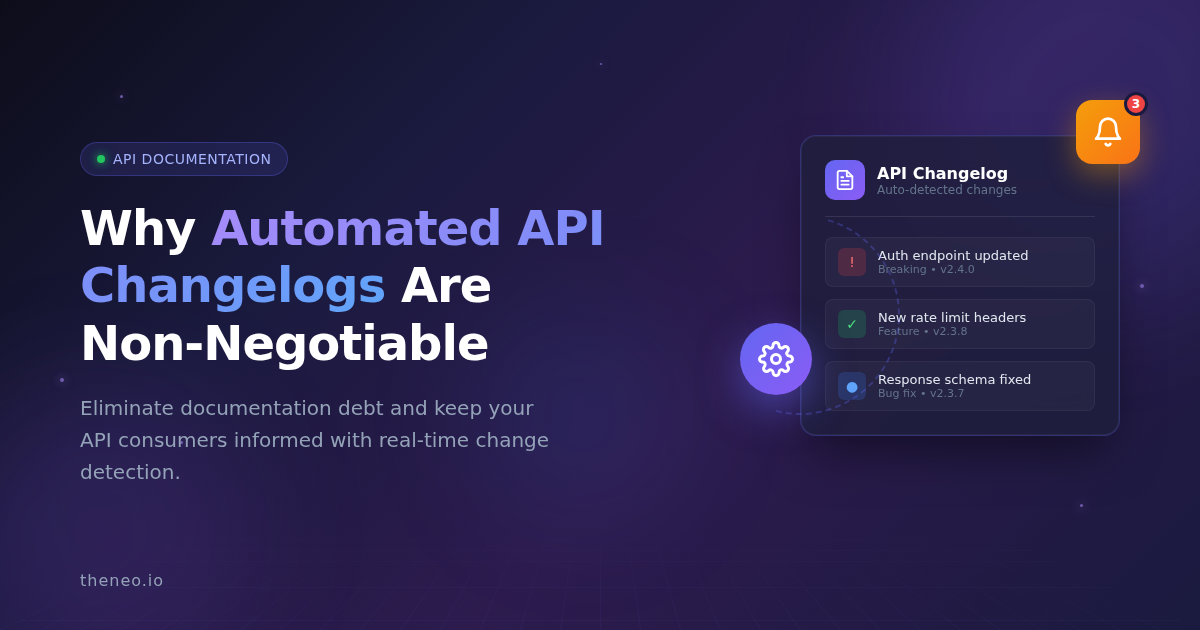
Manual changelog management costs development teams thousands of hours annually. Here's why automation is the modern standard - and how to implement it correctly.
Every API team has experienced it: a breaking change ships without documentation, integration partners discover it through broken code, and support tickets flood in. The root cause is almost always the same - manual changelog processes that can't keep pace with modern development velocity.
In 2026, automated API changelogs have shifted from convenience feature to critical infrastructure. This guide explains why manual approaches fail, what effective automation looks like, and how to implement changelogs that actually serve your users.
What Is an Automated API Changelog?
An automated API changelog is a system that automatically detects, documents, and communicates changes to your API without manual intervention. Unlike traditional changelogs that rely on developers remembering to update a markdown file, automated systems monitor your API specifications and documentation continuously.
When a change occurs - whether it's a new endpoint, modified response schema, or deprecated parameter - the system captures it, categorizes it by type and severity, and notifies relevant stakeholders.
Key capabilities of automated changelog systems include:
- Real-time change detection across API specifications
- Automatic categorization (breaking changes, new features, bug fixes, deprecations)
- Structured release notes generation
- Subscription-based notifications for API consumers
- Integration with CI/CD pipelines and deployment workflows
Why Manual API Changelogs Fail
Most teams start with good intentions around changelog management. Someone creates a CHANGELOG.md file, the first entries are detailed, and then reality intervenes.
The 5 Failure Modes of Manual Changelogs
Human memory gaps
- What happens: Developers focus on building, not documenting
- Business impact: Critical changes go unrecorded
Velocity mismatch
- What happens: Teams shipping multiple times daily can't manually log everything
- Business impact: Documentation falls weeks behind
Format inconsistency
- What happens: Without standards, entries vary from detailed paragraphs to cryptic one-liners
- Business impact: Users can't rely on changelog information
Context loss
- What happens: By the time someone documents a change, the reasoning is forgotten
- Business impact: Release notes lack actionable detail
Notification absence
- What happens: Manual systems rarely include proactive alerts
- Business impact: Users discover changes through broken integrations
Research from Postman's 2024 State of the API Report indicates that documentation quality directly impacts API adoption rates. Teams with comprehensive, current changelogs see higher developer satisfaction and lower support burden.
7 Benefits of Automated API Changelog Management
1. Elimination of Documentation Debt
Automated systems capture changes as they happen, preventing the accumulation of undocumented modifications that plague manual processes.
2. Reduced Support Ticket Volume
When users receive proactive notifications about changes, they don't need to contact support to understand why their integration broke.
3. Improved Developer Experience
API consumers can subscribe to changes relevant to their integration, receiving timely alerts without information overload.
4. Enhanced Team Alignment
Product managers, technical writers, and developers all access the same source of truth about what shipped and when.
5. Faster Incident Resolution
When issues arise, automated changelogs provide an accurate timeline of modifications for debugging.
6. Compliance and Audit Readiness
Automated systems create reliable records of API evolution for regulatory and audit purposes.
7. Increased API Trust and Adoption
Transparent change communication signals reliability to potential API consumers evaluating your platform.
How Automated API Changelogs Work
Understanding the technical foundation helps evaluate solutions effectively.
Change Detection Methods
Specification comparison: The system compares current and previous versions of your OpenAPI, Swagger, or other API specification files to identify modifications.
Documentation monitoring: Beyond specifications, automated systems track changes to endpoint descriptions, examples, and guides.
Commit integration: Some systems analyze git commits and pull requests to capture changes at the source.
Classification and Categorization
Effective automated changelogs distinguish between change types:
- Breaking changes: Modifications requiring consumer action (removed endpoints, changed response formats)
- New features: Added capabilities (new endpoints, additional parameters)
- Improvements: Non-breaking enhancements (performance optimizations, expanded documentation)
- Bug fixes: Corrections to existing behavior
- Deprecations: Features scheduled for future removal
Notification Distribution
Modern changelog systems offer multiple notification channels:
- Email digests (daily, weekly, or per-change)
- Webhook integrations for custom workflows
- RSS feeds for aggregation tools
- In-app notifications within documentation portals
How to Implement Automated API Changelogs: A Step-by-Step Guide
Step 1: Audit Your Current Changelog State
Before implementing automation, understand your baseline:
- How far behind is existing documentation?
- What changes have gone unrecorded?
- Where do API modifications originate (CI/CD, manual updates, direct code changes)?
Step 2: Define Your Changelog Audience
Different stakeholders need different information:
External developers need:
- Breaking changes and migration guides
- Deprecation timelines
- Code examples for updates
Internal developers need:
- Technical implementation details
- Architecture notes
- Testing considerations
Product managers need:
- Feature-level summaries
- Release timelines
- Competitive context
Support teams need:
- User impact information
- Troubleshooting context
- Common questions and answers
Step 3: Select an Automation Approach
Option A: Purpose-built platforms like Theneo provide integrated changelog automation alongside API documentation, offering the fastest path to implementation.
Option B: CI/CD integration using tools that generate changelogs from commit messages and specification diffs.
Option C: Custom development building internal tooling for organizations with unique requirements.
Step 4: Configure Change Classification Rules
Establish criteria for categorizing changes by severity and type. Most teams use semantic versioning principles:
- Major version changes indicate breaking modifications
- Minor version changes indicate new features
- Patch version changes indicate bug fixes
Step 5: Set Up Notification Workflows
Determine who receives alerts for which change types:
- Breaking changes: All active API consumers
- New features: Subscribed developers and product stakeholders
- Bug fixes: Affected users and support teams
Step 6: Integrate with Existing Workflows
Connect changelog automation to your deployment pipeline so documentation updates happen automatically with each release.
Step 7: Gather Feedback and Iterate
Monitor how users interact with your changelog. Are notifications helpful or overwhelming? Is the categorization accurate? Adjust based on real usage patterns.
Automated API Changelog Tools: What to Look For
When evaluating changelog automation solutions, consider these factors:
Change detection accuracy
- Does it understand API semantics well enough to classify changes correctly?
- Can it distinguish meaningful changes from noise?
Specification support
- Does it work with your API format (OpenAPI, GraphQL, gRPC)?
- How does it handle custom specifications?
Notification flexibility
- Can users subscribe to specific endpoints or change types?
- Are digest options available for users who prefer summaries?
CI/CD integration
- Does it fit your deployment workflow?
- What pipeline tools does it support?
Customization options
- Can you adjust categorization rules?
- Are notification templates configurable?
User experience
- Is the changelog interface intuitive for API consumers?
- How easy is it for non-technical stakeholders to use?
Theneo's Automated Changelog Capabilities
Theneo's changelog feature addresses these requirements through:
- Automatic change detection that monitors API specifications and documentation continuously
- Real-time notifications with subscription options for granular control
- Comprehensive release notes categorizing breaking changes, new features, and bug fixes
- CI/CD pipeline integration for seamless deployment workflows
- Intuitive interface accessible to developers, technical writers, and product managers
Best Practices for API Changelog Management
Write for Your Users, Not Your Team
Changelog entries should explain impact from the consumer's perspective. Instead of "Refactored authentication module," write "Authentication tokens now expire after 24 hours instead of 7 days. Update your token refresh logic accordingly."
Provide Migration Guidance for Breaking Changes
Don't just announce what changed - explain how users should adapt. Include code examples when helpful.
Maintain Consistent Categorization
Use the same classification system across all entries so users can quickly identify changes relevant to them.
Include Deprecation Timelines
When deprecating features, specify removal dates and recommend alternatives. Give users adequate time to migrate.
Link to Relevant Documentation
Connect changelog entries to updated API reference pages, guides, and examples.
Archive Historical Changes
Maintain access to past changelogs so users can understand the full evolution of your API.
Frequently Asked Questions About Automated API Changelogs
What is the difference between a changelog and release notes?
A changelog is a chronological record of all changes to an API, typically organized by version or date. Release notes are curated summaries highlighting the most important changes in a specific release. Automated systems can generate both from the same change detection data.
How often should API changelogs be updated?
With automation, changelogs update in real-time as changes occur. For teams shipping continuously, this means multiple updates daily. The key is that documentation always reflects the current API state.
Can automated changelogs work with any API format?
Most automated changelog tools support common specification formats including OpenAPI (Swagger), GraphQL schemas, and gRPC protocol buffers. Verify compatibility with your specific format before selecting a solution.
How do automated changelogs integrate with CI/CD pipelines?
Integration typically occurs through webhooks or CLI tools that trigger changelog updates as part of the deployment process. When your pipeline deploys a new API version, it simultaneously updates the changelog.
What information should be included in a changelog entry?
Effective entries include the type of change (breaking, feature, fix), a clear description of what changed, the impact on API consumers, any required action, and links to relevant documentation.
How do you handle changelog notifications without overwhelming users?
Offer granular subscription options so users receive only relevant updates. Allow filtering by change type, severity, affected endpoints, or custom tags. Provide digest options for users who prefer periodic summaries over real-time alerts.
Key Takeaways
- Manual changelog management doesn't scale with modern API development velocity and leads to documentation debt, broken integrations, and eroded developer trust.
- Automated changelogs eliminate human error by detecting and documenting changes as they occur, without relying on developer memory.
- Effective automation includes notification systems that proactively alert API consumers about changes relevant to their integrations.
- Implementation requires workflow integration connecting changelog generation to your CI/CD pipeline and deployment processes.
- The best changelog systems serve diverse audiences providing technical detail for developers and summary information for product stakeholders.
- Changelog quality directly impacts API adoption as developers evaluate platforms based on documentation transparency and reliability.
Transform Your API Documentation Workflow
Manual changelog management costs development teams time, creates support burden, and damages relationships with API consumers. In 2026, automation isn't optional - it's the standard.
Theneo's Automatic Changelogs eliminate manual documentation overhead through real-time change detection, intelligent categorization, and flexible notifications. Whether you're deploying through CI/CD pipelines or making manual updates, your changelog stays current without additional effort.
Experience automated change tracking that keeps your team aligned and your API consumers informed.
Manual changelog management costs development teams thousands of hours annually. Here's why automation is the modern standard - and how to implement it correctly.
Every API team has experienced it: a breaking change ships without documentation, integration partners discover it through broken code, and support tickets flood in. The root cause is almost always the same - manual changelog processes that can't keep pace with modern development velocity.
In 2026, automated API changelogs have shifted from convenience feature to critical infrastructure. This guide explains why manual approaches fail, what effective automation looks like, and how to implement changelogs that actually serve your users.
What Is an Automated API Changelog?
An automated API changelog is a system that automatically detects, documents, and communicates changes to your API without manual intervention. Unlike traditional changelogs that rely on developers remembering to update a markdown file, automated systems monitor your API specifications and documentation continuously.
When a change occurs - whether it's a new endpoint, modified response schema, or deprecated parameter - the system captures it, categorizes it by type and severity, and notifies relevant stakeholders.
Key capabilities of automated changelog systems include:
- Real-time change detection across API specifications
- Automatic categorization (breaking changes, new features, bug fixes, deprecations)
- Structured release notes generation
- Subscription-based notifications for API consumers
- Integration with CI/CD pipelines and deployment workflows
Why Manual API Changelogs Fail
Most teams start with good intentions around changelog management. Someone creates a CHANGELOG.md file, the first entries are detailed, and then reality intervenes.
The 5 Failure Modes of Manual Changelogs
Human memory gaps
- What happens: Developers focus on building, not documenting
- Business impact: Critical changes go unrecorded
Velocity mismatch
- What happens: Teams shipping multiple times daily can't manually log everything
- Business impact: Documentation falls weeks behind
Format inconsistency
- What happens: Without standards, entries vary from detailed paragraphs to cryptic one-liners
- Business impact: Users can't rely on changelog information
Context loss
- What happens: By the time someone documents a change, the reasoning is forgotten
- Business impact: Release notes lack actionable detail
Notification absence
- What happens: Manual systems rarely include proactive alerts
- Business impact: Users discover changes through broken integrations
Research from Postman's 2024 State of the API Report indicates that documentation quality directly impacts API adoption rates. Teams with comprehensive, current changelogs see higher developer satisfaction and lower support burden.
7 Benefits of Automated API Changelog Management
1. Elimination of Documentation Debt
Automated systems capture changes as they happen, preventing the accumulation of undocumented modifications that plague manual processes.
2. Reduced Support Ticket Volume
When users receive proactive notifications about changes, they don't need to contact support to understand why their integration broke.
3. Improved Developer Experience
API consumers can subscribe to changes relevant to their integration, receiving timely alerts without information overload.
4. Enhanced Team Alignment
Product managers, technical writers, and developers all access the same source of truth about what shipped and when.
5. Faster Incident Resolution
When issues arise, automated changelogs provide an accurate timeline of modifications for debugging.
6. Compliance and Audit Readiness
Automated systems create reliable records of API evolution for regulatory and audit purposes.
7. Increased API Trust and Adoption
Transparent change communication signals reliability to potential API consumers evaluating your platform.
How Automated API Changelogs Work
Understanding the technical foundation helps evaluate solutions effectively.
Change Detection Methods
Specification comparison: The system compares current and previous versions of your OpenAPI, Swagger, or other API specification files to identify modifications.
Documentation monitoring: Beyond specifications, automated systems track changes to endpoint descriptions, examples, and guides.
Commit integration: Some systems analyze git commits and pull requests to capture changes at the source.
Classification and Categorization
Effective automated changelogs distinguish between change types:
- Breaking changes: Modifications requiring consumer action (removed endpoints, changed response formats)
- New features: Added capabilities (new endpoints, additional parameters)
- Improvements: Non-breaking enhancements (performance optimizations, expanded documentation)
- Bug fixes: Corrections to existing behavior
- Deprecations: Features scheduled for future removal
Notification Distribution
Modern changelog systems offer multiple notification channels:
- Email digests (daily, weekly, or per-change)
- Webhook integrations for custom workflows
- RSS feeds for aggregation tools
- In-app notifications within documentation portals
How to Implement Automated API Changelogs: A Step-by-Step Guide
Step 1: Audit Your Current Changelog State
Before implementing automation, understand your baseline:
- How far behind is existing documentation?
- What changes have gone unrecorded?
- Where do API modifications originate (CI/CD, manual updates, direct code changes)?
Step 2: Define Your Changelog Audience
Different stakeholders need different information:
External developers need:
- Breaking changes and migration guides
- Deprecation timelines
- Code examples for updates
Internal developers need:
- Technical implementation details
- Architecture notes
- Testing considerations
Product managers need:
- Feature-level summaries
- Release timelines
- Competitive context
Support teams need:
- User impact information
- Troubleshooting context
- Common questions and answers
Step 3: Select an Automation Approach
Option A: Purpose-built platforms like Theneo provide integrated changelog automation alongside API documentation, offering the fastest path to implementation.
Option B: CI/CD integration using tools that generate changelogs from commit messages and specification diffs.
Option C: Custom development building internal tooling for organizations with unique requirements.
Step 4: Configure Change Classification Rules
Establish criteria for categorizing changes by severity and type. Most teams use semantic versioning principles:
- Major version changes indicate breaking modifications
- Minor version changes indicate new features
- Patch version changes indicate bug fixes
Step 5: Set Up Notification Workflows
Determine who receives alerts for which change types:
- Breaking changes: All active API consumers
- New features: Subscribed developers and product stakeholders
- Bug fixes: Affected users and support teams
Step 6: Integrate with Existing Workflows
Connect changelog automation to your deployment pipeline so documentation updates happen automatically with each release.
Step 7: Gather Feedback and Iterate
Monitor how users interact with your changelog. Are notifications helpful or overwhelming? Is the categorization accurate? Adjust based on real usage patterns.
Automated API Changelog Tools: What to Look For
When evaluating changelog automation solutions, consider these factors:
Change detection accuracy
- Does it understand API semantics well enough to classify changes correctly?
- Can it distinguish meaningful changes from noise?
Specification support
- Does it work with your API format (OpenAPI, GraphQL, gRPC)?
- How does it handle custom specifications?
Notification flexibility
- Can users subscribe to specific endpoints or change types?
- Are digest options available for users who prefer summaries?
CI/CD integration
- Does it fit your deployment workflow?
- What pipeline tools does it support?
Customization options
- Can you adjust categorization rules?
- Are notification templates configurable?
User experience
- Is the changelog interface intuitive for API consumers?
- How easy is it for non-technical stakeholders to use?
Theneo's Automated Changelog Capabilities
Theneo's changelog feature addresses these requirements through:
- Automatic change detection that monitors API specifications and documentation continuously
- Real-time notifications with subscription options for granular control
- Comprehensive release notes categorizing breaking changes, new features, and bug fixes
- CI/CD pipeline integration for seamless deployment workflows
- Intuitive interface accessible to developers, technical writers, and product managers
Best Practices for API Changelog Management
Write for Your Users, Not Your Team
Changelog entries should explain impact from the consumer's perspective. Instead of "Refactored authentication module," write "Authentication tokens now expire after 24 hours instead of 7 days. Update your token refresh logic accordingly."
Provide Migration Guidance for Breaking Changes
Don't just announce what changed - explain how users should adapt. Include code examples when helpful.
Maintain Consistent Categorization
Use the same classification system across all entries so users can quickly identify changes relevant to them.
Include Deprecation Timelines
When deprecating features, specify removal dates and recommend alternatives. Give users adequate time to migrate.
Link to Relevant Documentation
Connect changelog entries to updated API reference pages, guides, and examples.
Archive Historical Changes
Maintain access to past changelogs so users can understand the full evolution of your API.
Frequently Asked Questions About Automated API Changelogs
What is the difference between a changelog and release notes?
A changelog is a chronological record of all changes to an API, typically organized by version or date. Release notes are curated summaries highlighting the most important changes in a specific release. Automated systems can generate both from the same change detection data.
How often should API changelogs be updated?
With automation, changelogs update in real-time as changes occur. For teams shipping continuously, this means multiple updates daily. The key is that documentation always reflects the current API state.
Can automated changelogs work with any API format?
Most automated changelog tools support common specification formats including OpenAPI (Swagger), GraphQL schemas, and gRPC protocol buffers. Verify compatibility with your specific format before selecting a solution.
How do automated changelogs integrate with CI/CD pipelines?
Integration typically occurs through webhooks or CLI tools that trigger changelog updates as part of the deployment process. When your pipeline deploys a new API version, it simultaneously updates the changelog.
What information should be included in a changelog entry?
Effective entries include the type of change (breaking, feature, fix), a clear description of what changed, the impact on API consumers, any required action, and links to relevant documentation.
How do you handle changelog notifications without overwhelming users?
Offer granular subscription options so users receive only relevant updates. Allow filtering by change type, severity, affected endpoints, or custom tags. Provide digest options for users who prefer periodic summaries over real-time alerts.
Key Takeaways
- Manual changelog management doesn't scale with modern API development velocity and leads to documentation debt, broken integrations, and eroded developer trust.
- Automated changelogs eliminate human error by detecting and documenting changes as they occur, without relying on developer memory.
- Effective automation includes notification systems that proactively alert API consumers about changes relevant to their integrations.
- Implementation requires workflow integration connecting changelog generation to your CI/CD pipeline and deployment processes.
- The best changelog systems serve diverse audiences providing technical detail for developers and summary information for product stakeholders.
- Changelog quality directly impacts API adoption as developers evaluate platforms based on documentation transparency and reliability.
Transform Your API Documentation Workflow
Manual changelog management costs development teams time, creates support burden, and damages relationships with API consumers. In 2026, automation isn't optional - it's the standard.
Theneo's Automatic Changelogs eliminate manual documentation overhead through real-time change detection, intelligent categorization, and flexible notifications. Whether you're deploying through CI/CD pipelines or making manual updates, your changelog stays current without additional effort.
Experience automated change tracking that keeps your team aligned and your API consumers informed.