Blog
API Explorer - let your users test your APIs
Share article

API Explorer - let your users test your APIs

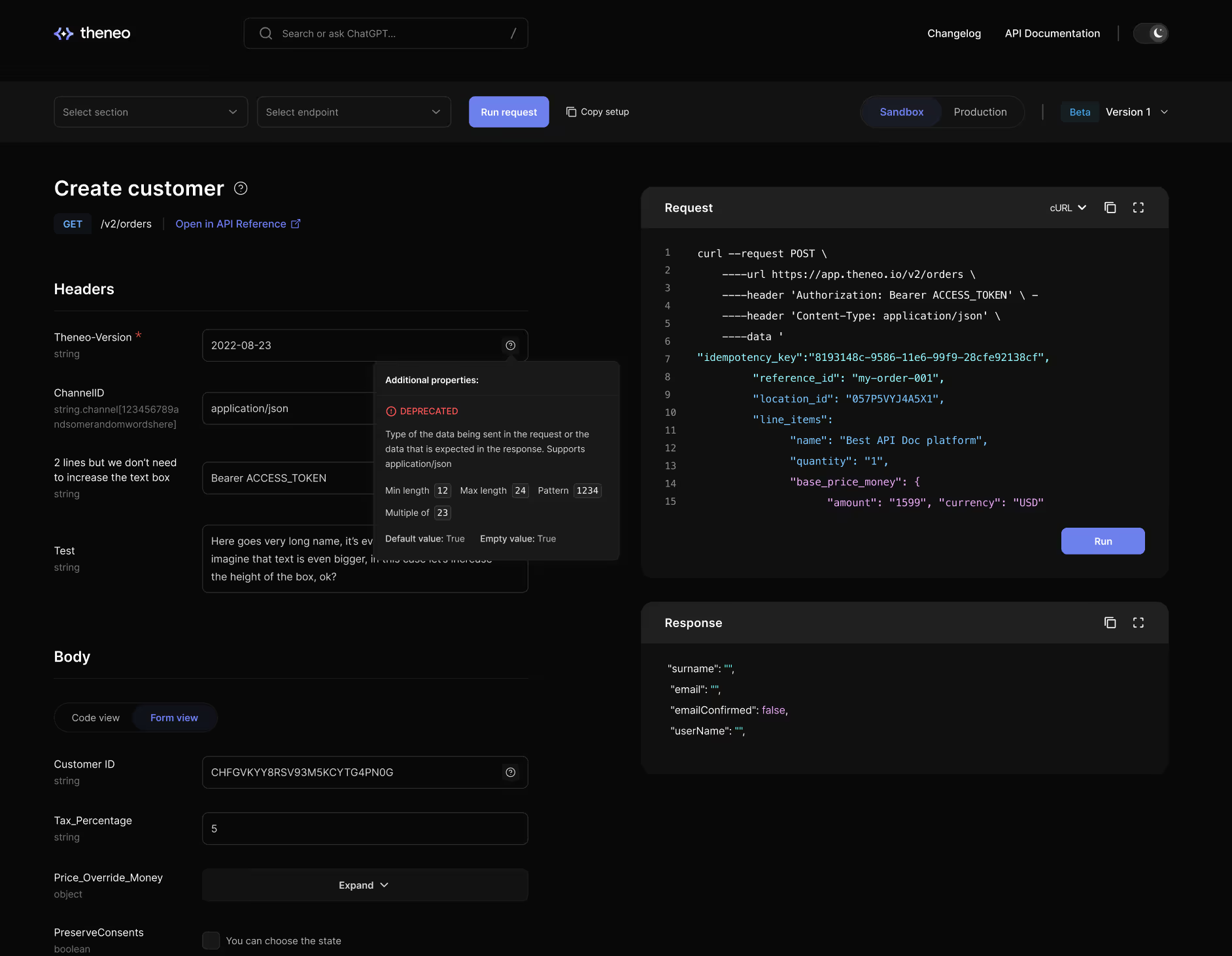
Theneo’s API Explorer allows developers to test APIs directly inside your documentation, creating an immersive experience that increases engagement and API usage. Enable it in project settings and let users interact with your API instantly.
API Explorer - let your users test your APIs
This is some text inside of a div block.

We are finally launching our API Explorer tool to the public.

This has been a long time coming and we are excited to finally offer this to our users. With API Explorer, developers will be able to test your APIs inside your doc. This is a much better way to test an API than other platforms, which have testing enabled in a tiny window. With Theneos API Explorer, developers can experience your API in an immersive way.

Fun fact: One of our beta users saw 3 times more API requests after they enabled the API explorer

Here is an example https://app.theneo.io/api-runner/demo/theneo

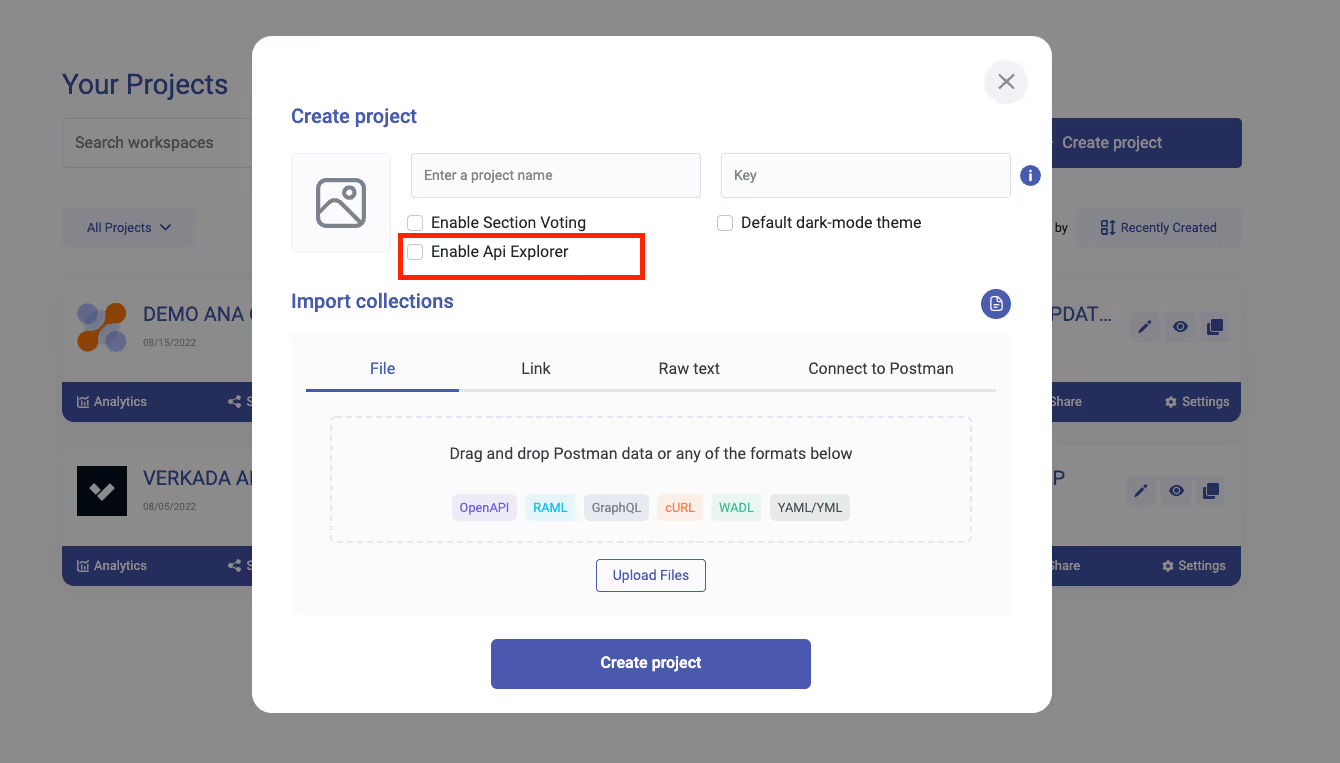
In order to activate the API explorer, click on the "API Explorer" checkbox when creating a project or in the project settings
Activate the API Explorer

We are finally launching our API Explorer tool to the public.

This has been a long time coming and we are excited to finally offer this to our users. With API Explorer, developers will be able to test your APIs inside your doc. This is a much better way to test an API than other platforms, which have testing enabled in a tiny window. With Theneos API Explorer, developers can experience your API in an immersive way.

Fun fact: One of our beta users saw 3 times more API requests after they enabled the API explorer

Here is an example https://app.theneo.io/api-runner/demo/theneo

In order to activate the API explorer, click on the "API Explorer" checkbox when creating a project or in the project settings

Activate the API Explorer
Browse all posts
Share article
{content menu}
Share article

Start creating quality API
documentation today