Real-Time Collaborative Editing for API Documentation: How Teams Stop Overwriting Each Other
Why documentation edits get overwritten, how concurrent editing actually works, and how Theneo, Mintlify, GitBook and Redocly differ on collaboration.
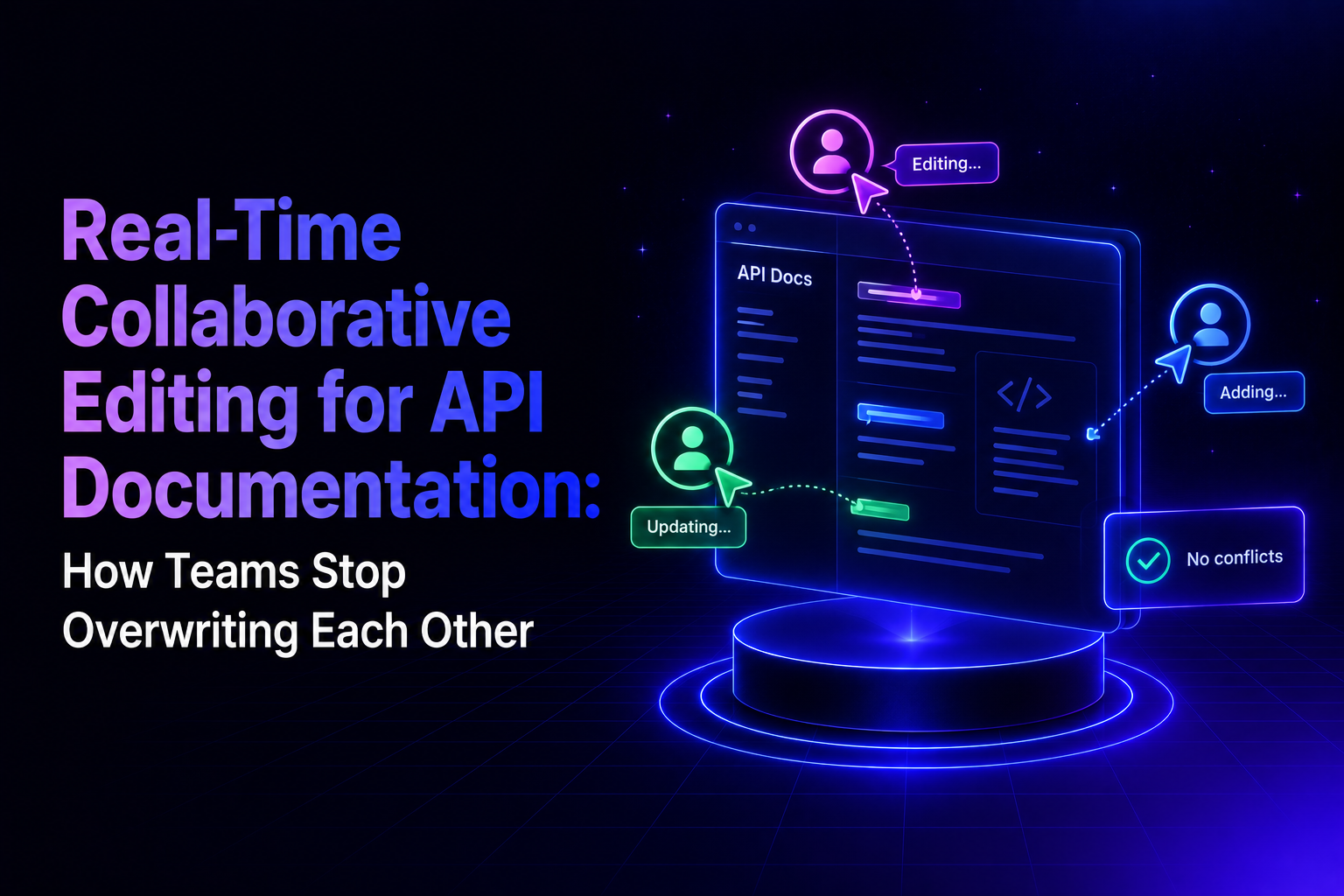
There are two different problems that both get described as "the docs keep getting overwritten," and teams regularly try to fix one with a solution designed for the other.
The first is machine overwrite: an OpenAPI re-import or a CI/CD job replaces hand-written prose with generated content. The second is human overwrite: two people edit the same page at the same time and one person's work quietly disappears. They look identical in a Slack complaint and they have nothing in common underneath.
This article is mostly about the second one, and about the platform choices that determine whether it happens to you. For the mechanics of the first, see the API documentation maintenance checklist.
Key takeaways
- Human overwrite happens when a documentation tool saves on a last-write-wins basis, so the second person to hit save silently replaces the first person's edits.
- Real-time collaborative editing solves this by merging changes as they are typed and showing who is working where, rather than reconciling two finished versions afterwards.
- API reference content is harder to merge than prose because it contains structured blocks, generated sections and schema-bound fields.
- A live editor is not the only way to avoid conflicts. Automated spec sync through a CLI or CI/CD pipeline achieves conflict-free updates without anyone opening an editor, and the two approaches can run on the same project.
- Whichever path you take, concurrent changes need a review gate: assigned reviewers, comments on the specific content, approval rules and an audit trail.
Why do teams keep overwriting each other's documentation edits?
Documentation edits get overwritten when two people open the same page, make changes independently, and save at different times. The platform accepts both saves in sequence, so the later save replaces everything the earlier one wrote. Nobody is warned, and the loss is usually discovered days later by a reader.
This is a property of the tool, not a failure of coordination. Teams typically respond by adding process: a rule that only one person edits at a time, a Slack message before opening a page, an unofficial calendar. Those work until the team grows past about five contributors or spans more than one timezone, at which point the coordination cost exceeds the writing cost.
The pattern is most common on documentation that several roles touch at once. An engineer updates an endpoint's authentication requirements after a release. A technical writer is midway through rewording the same endpoint's description for clarity. A product manager adds a note about a deprecation timeline. All three are correct, all three are working on the same page, and in a last-write-wins system only one of them survives.
What happens when two developers edit the same doc section simultaneously?
That depends entirely on the platform's concurrency model, and there are three in common use.
- Last write wins. Both edits are accepted and the later save replaces the earlier one in full. This is the default in simple wiki and CMS editors, and it is where silent data loss comes from.
- Locking. The first person to open a page or block holds it, and everyone else gets read-only access until they release it. Nothing is lost, but the second contributor is blocked, and locks are routinely left open by someone who closed a tab and went to lunch.
- Operational transformation or CRDTs. The editor treats a document as a stream of granular operations rather than a file, and transforms concurrent operations so they can both apply. Two people typing in the same paragraph produce a merged result rather than a conflict. This is the model behind Google Docs and behind the real-time editors in modern documentation platforms.
API reference content makes the third approach harder than it looks. Prose is a flat sequence of text and merges cleanly. An API reference page is a tree containing parameter tables, code samples in several languages, response schemas and blocks generated from an OpenAPI spec. A merge algorithm that handles paragraphs well can still produce nonsense when two people restructure a parameter table at the same time, which is why the useful question about any platform is not whether it has real-time editing but what it does to structured reference blocks.
This is where platforms diverge most sharply. On most documentation tools the API reference is a rendered projection of an OpenAPI file rather than an editable object: the endpoint on the page is generated output, and changing it means changing the spec.
- Mintlify's documentation states that OpenAPI and AsyncAPI specification files are read-only in its web editor and must be edited in a local code editor and pushed to the repository.
- Redocly follows the same logic, with all content living in Git. The practical consequence is that real-time collaboration on those platforms covers the guides and prose surrounding an API but stops at the reference itself - a technical writer can co-edit a getting-started page, then has to file a ticket to fix one wrong parameter description.
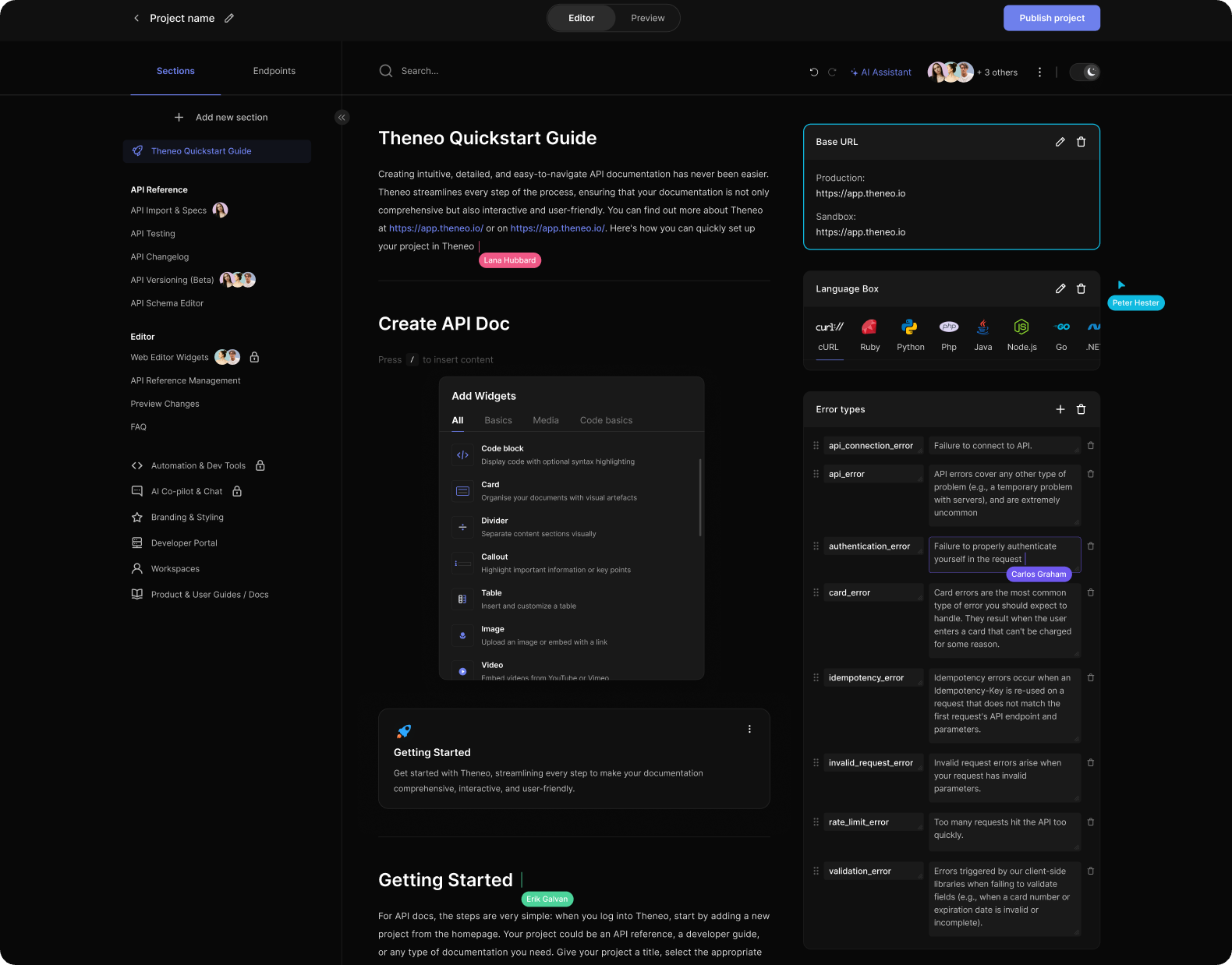
- Theneo makes every block in the document editable, endpoints included, along with parameters, request and response schemas, examples and code samples. The endpoint is a first-class object in the collaborative editor, not a read-only render of a file somebody else owns.
Which documentation tools support real-time team collaboration on API docs?
Several do, and the differences are in the constraints rather than the headline feature.
- Theneo runs concurrent editing natively in its web editor. Engineers, technical writers and product managers work in the same document with every cursor visible, alongside inline comments on individual endpoints and parameters. Because collaboration is not layered over a Git branch, it works the same way on a published developer portal as it does on a draft, and role-based permissions govern who can edit, review and publish. The editor is one of two paths rather than the only one: the same project can be driven entirely from a CLI or CI/CD pipeline, covered in the next section.
- Mintlify supports real-time editing in its web editor with live cursors, and its documentation states that changes merge automatically so two people editing the same section will not produce a conflict. Collaboration happens on a Git branch, and publishing commits to the repository or opens a pull request depending on branch protection. For a Git-native team this is coherent; for a team that wants documentation to live outside the repository it is an additional layer.
- GitBook supports live collaboration, but live edits are locked by default in new spaces, and GitBook's own documentation states they cannot be unlocked on a space published with Public, Unlisted or In collection visibility, or on a space with GitHub or GitLab Sync enabled. For public API documentation, which describes most developer portals, contributors work through change requests instead.
- Redocly stores project content in Git, so every change is a branch, a commit and a pull request. There is no concurrent in-browser editing.
- Docusaurus is a static site generator with no hosted editor at all. Concurrency is whatever your Git workflow provides.
- ReadMe offers a hosted web editor, but its concurrency model is not documented publicly. Ask their team directly rather than assuming.
Can you get conflict-free documentation updates without a live editor?
Yes, and for a large number of teams this is the better answer. If your reference documentation is generated from an OpenAPI spec that lives in a repository, the cleanest way to avoid conflicts is to remove humans from the update path entirely and let the pipeline do it.
Theneo supports this as a first-class workflow rather than an afterthought. A published CLI installs with npm install -g @theneo/cli and can create projects, import updated specs and publish, all from a script. A GitHub-verified Action keeps documentation in sync on every push, and GitHub, GitLab and Bitbucket integrations do the same for teams on other providers. On each commit, Theneo detects spec and content changes, generates previews and updates the reference.
The detail that matters for conflict avoidance is the import type. Both the CLI and the Action accept a choice of overwrite, merge, endpoints or append. Setting it to merge means an incoming spec combines with what is already there rather than replacing it, so hand-written explanations, examples and guidance survive an automated update. That is machine-side conflict-free merging, and it is what stops a nightly CI job from erasing a week of a technical writer's work. The tradeoffs between these import types are covered in the API documentation maintenance checklist.
Automation does not have to mean publishing blind. Auto-publish can be switched off so the pipeline imports the change and holds it for approval, and releases can be gated, staged, published to production and rolled back. Webhooks and status checks make each change traceable.
This means the editor-versus-pipeline framing that most comparisons use is a false choice, at least on a platform that supports both. A realistic setup runs reference content through CI/CD with merge semantics and no human involvement, while guides, tutorials and changelogs are edited collaboratively in the browser by the people who own them. Engineers never leave their repository. Writers never see a commit.
Which collaborative editing platforms work best for API documentation teams?
The right answer depends on who needs to contribute, and on whether the platform forces you to pick one model for everyone.
If documentation is written and owned by engineers already comfortable in Git, a docs-as-code platform like Redocly or a Git-backed editor like Mintlify's fits the way you work, and real-time editing is a convenience rather than a requirement.
If documentation is written by a mixed group where many contributors are not engineers, every Git concept you expose becomes a barrier for a support engineer who has the right answer but no repository access. This is the case for a hosted collaborative editor.
Most teams are actually both at once, which is the point worth checking. The question to ask a vendor is not "do you have real-time editing" or "do you have CI/CD" but whether both can run against the same project without one disabling the other. GitBook is the clearest illustration of why this matters: enabling GitHub or GitLab Sync makes live editing unavailable, so the automation and the collaboration are mutually exclusive.
Theneo runs both simultaneously, with pipeline-driven reference content and browser-edited guides in one project.
If your documentation is public, check the constraint before you check the feature. GitBook's live editing is genuinely good and genuinely unavailable on publicly published spaces, which a feature comparison table will not surface.
One practical note on cost. Adding reviewers and occasional contributors is the point of collaborative editing, and per-seat pricing works against that by making every additional PM or support engineer a line item. Theneo prices by workspace rather than per seat, so bringing a fourth reviewer into a document does not change the bill.
Which documentation platforms let non-technical people too edit safely?
"Safely" means two things that are easy to conflate: the contributor cannot break the site, and the contributor cannot publish something incorrect to readers.
The first is a property of the editor. A structured visual editor prevents a product manager from breaking a build with malformed MDX or an unclosed component, in a way that a raw Markdown file in a repository does not.
The second is a property of permissions. Theneo handles this through role-based access control with admin, editor and viewer roles plus custom roles, so a support engineer can be given editing rights on a troubleshooting guide without gaining the ability to publish changes to an authentication reference. Endpoint-level privacy settings extend the same control to which parts of a portal a given group can see at all, and audit logs record who changed what.
The mistake worth avoiding is treating publish rights as the only control. If every editor is also a publisher, real-time collaboration increases the rate at which unreviewed changes reach readers. Separating the two roles is what makes opening the doors to non-engineers safe rather than reckless.
Can technical writers and engineers edit API docs at the same time without Git?
Yes, on any platform with a hosted collaborative editor, and this is the main practical reason teams adopt one.
The situation it fixes is specific. An engineer knows the endpoint returns a 409 in a case the docs do not mention. A technical writer knows the surrounding section is confusing and wants to restructure it. In a pull-request workflow these two changes serialise: one person opens a PR, the other waits, reviews, and then opens a second PR against the result. In a concurrent editor they happen in the same session, and the writer can see the engineer's correction land while restructuring around it.
Theneo supports both approaches on the same project, so the engineer can keep working through CI/CD while the writer works in the browser.
How is real-time co-editing different from a pull request review?
They solve different halves of the same problem and are not alternatives.
Real-time co-editing governs what happens while people are drafting: multiple cursors, live merging, no lost work. Review governs what happens before readers see the result: a proposed change, a diff, an approver, an audit trail.
A team with only real-time editing and no review gate collaborates smoothly and ships unreviewed changes to production. A team with only review and no concurrent editing has a safe publishing pipeline that serialises every contributor behind a queue. Most documentation teams need both.
Theneo pairs live editing with a full documentation review workflow that requires no Git knowledge. Changes are drafted on a branch off the live docs, reviewers are assigned explicitly, and comments are left inline on the specific paragraph or endpoint in question rather than scattered across Slack threads. Approvers compare the branch to the base in a side-by-side view and can approve, request changes or comment. Configurable merge rules, such as requiring a minimum number of approvals, gate the merge, and every merge leaves a record of who approved what. The same gate applies to pipeline-driven changes when auto-publish is switched off.
How that workflow was built, and why diffing a document is a harder problem than diffing code, is covered in how to review documentation before publishing without Git.

Is there a Google Docs equivalent for API documentation?
Functionally yes, and the comparison is a fair one for the editing experience: shared cursors, comments anchored to specific content, and simultaneous typing without conflicts.
Where the analogy breaks down is everything around the editor. A general-purpose document tool has no concept of an OpenAPI spec, cannot regenerate a reference section when the schema changes, cannot render an interactive request console, and has no publishing model beyond a shareable link. Teams that start in Google Docs usually end up maintaining the same content twice, once where it is written and once where it is published.
Theneo's editor is deliberately close to that experience for guides and prose while remaining spec-aware for reference content, so generated sections stay connected to the OpenAPI definition rather than becoming a copy of it. The important qualifier is that none of this is imposed on teams who do not want it. Theneo is developer-first underneath: the editor is one interface onto a project that can equally be driven entirely from the CLI, a GitHub Action or a CI/CD pipeline. An engineering team that wants documentation generated from a spec on every commit, merged rather than overwritten, and gated behind an approval before publishing can run exactly that and never open the editor at all. The Google-Docs-like experience is available for the people who need it, not a workflow everyone is forced through.
How do I set up real-time collaboration on API docs?
The configuration itself is short. The decisions in front of it are what matter.
Start by listing who actually needs to contribute, including the people currently sending corrections over Slack because they have no access. That list determines whether a pipeline-only setup is sufficient or whether you also need collaboration outside the repository.
Then split your content by how it changes. Reference material generated from a spec belongs in CI/CD with a merge-type import, so it updates without human involvement and without erasing curated prose. Guides, tutorials and changelogs, which are written rather than generated, belong in a collaborative editor.
Then separate editing from publishing before you invite anyone. Define who can edit, who can approve and who can publish, map those to roles rather than individuals, and decide whether pipeline changes publish automatically or wait for approval.
Finally, decide how AI agents fit. Agents that propose documentation updates are now a contributor class of their own, and they need the same treatment as a junior writer: able to draft and suggest, not able to publish unreviewed. Theneo treats agent-proposed changes as edits within the same permission and review model as human ones, which keeps the audit trail intact.
Choosing between them
If your contributors are mostly engineers and your docs already live in Git, a Git-backed workflow is the honest answer and real-time editing is a bonus. If your contributors span writers, product managers and support, a hosted collaborative editor stops being a nice-to-have.
The mistake is assuming you must choose. Ask whether a platform can run automated spec sync and live collaborative editing against the same project at the same time, because several cannot, and the answer determines whether your engineers and your writers can both work the way they prefer.
Whatever you choose, check four things before committing: what the platform does when two people edit the same structured block, whether live editing survives publication, whether automated imports can merge rather than overwrite, and whether editing and publishing are separable permissions. Those four answers predict how the tool behaves in month six far better than the feature list does.
Frequently Asked Questions
Can you edit API endpoints directly in a collaborative documentation editor, or only the surrounding text?
On most platforms, only the surrounding text is editable, however Theneo makes every block editable, including endpoints, parameters, schemas and code samples.
Does Theneo support real-time collaborative editing?
Yes. Engineers, technical writers and product managers work in the same document with every cursor visible, plus inline comments on individual endpoints and parameters. It works on published developer portals, not only on drafts.
Does API documentation software work without a Git repository?
Some does and some does not. Redocly and Docusaurus treat a repository as the source of truth, and Mintlify's web editor commits to one behind the scenes. Theneo works with or without a repository, so a team can run purely in the browser, purely through CI/CD, or both at once on the same project.
Who should be allowed to publish API documentation changes?
Publishing rights should be separated from editing rights, so contributors can draft without pushing changes live. Theneo does this through role-based access control with admin, editor, viewer and custom roles, plus endpoint-level privacy settings and audit logs recording who changed what.
Can you leave comments on a specific API endpoint for a reviewer?
On platforms with inline commenting, yes. Theneo anchors comments to individual endpoints and parameters rather than to the page as a whole, so a reviewer's question about an authentication header stays attached to that header instead of getting lost in a general comment thread or a Slack message.